Aimee was designed to help your practice never miss an opportunity with a patient. Whether it’s a call that goes to voicemail, a question about your office hours, or rescheduling an appointment, Aimee steps in instantly, so your team can stay focused on the patients in front of them.
This FAQ page will walk you through everything you need to know about how Aimee works, what she can do for your practice, and how you can customize her to fit your unique needs.
Who is Aimee?
Aimee is your virtual front office assistant powered by Peerlogic!
What does Aimee do?
Aimee’s goal is to help schedule appointments on your behalf
How does Aimee work?
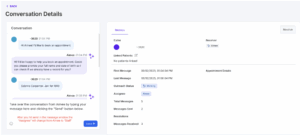
Anytime a call is missed in the office or a call goes to voicemail Aimee will reach out to that caller via text message introducing herself and asking what she can help with.
Default message sent – Hi! This is Aimee from “Your practice name here”. Sorry we missed your call. How can we help you?
What else can Aimee do?
Aimee can answer general questions around your business hours, insurance accepted, and your office’s location.
Can Aimee be customized?
Yes! Aimee can be customized in several different ways including;
-
- Handling Rescheduling and Cancellations
- Customizing the default message sent
- Custom Responses to key words/phrases
- Over 30 unique appointment types Aimee can schedule!
What do I need to know once Aimee is activated?
Once activated Aimee is working for your office 24/7, anytime a call is missed or goes to voicemail Aimee will reach out in real time via a text message to that caller.
If Aimee Doesn’t Need Help:
If Aimee is able to answer the question or handle the request to book, reschedule, or cancel an appointment (depending on your office’s preferences) you should verify the appointment is reflecting on your calendar at the correct place/time. Aimee will send you an email alert whenever she completes a task; books, reschedules, or cancels an appointment. This will link you to the conversation in the Peerlogic Dashboard.
New Patients will reflect in your Practice Management system with default details, only if the patient books an appointment with Aimee. These details will include the patient name and date of birth. In this case, Staff members should follow up with that patient to ensure your new patient paperwork is completed, insurance verified (if applicable) and to update any additional information you need for new patients. Aimee’s goal is to make sure this new patient doesn’t go somewhere else, so scheduling that appointment is the primary goal to ensure that doesn’t happen but does require some additional followup from Staff.
For Existing Patients, Aimee will verify their identity by asking for their full name and date of birth, once verified Aimee can answer questions around upcoming appointments or scheduling requests.
If Aimee Needs Help: If Aimee isn’t able to answer a question or the patient requests to be connected with a Staff member you will receive an email alert “Aimee Escalation or Aimee Handoff” with a link to the conversation. This is likely due to Aimee being asked a question that we don’t have an answer to; specific billing questions, medical advice, or maybe a more detailed question around insurance.
If you receive this alert login to the Peerlogic Dashboard, review the conversation and take over the text conversation from Aimee directly in Peerlogic, or alternatively read the conversation and call the patient back directly. We’ll provide you with the phone number and name of the individual within the Peerlogic Dashboard.
If Aimee hands the conversation over to a Staff member or a Staff member takes over the text conversation, Aimee will no longer respond and it’s the responsibility of the Staff member to handle the conversation.
Where can I see Aimee’s conversations?
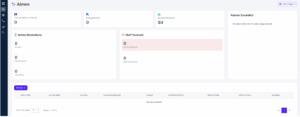
All of Aimee’s conversations can be seen in the Peerlogic Dashboard, you need to be a registered User in order to access this Dashboard.